Learners reading English books, case studies or work documents who want to move from understanding a passage to explaining it.
Choose what you want to check
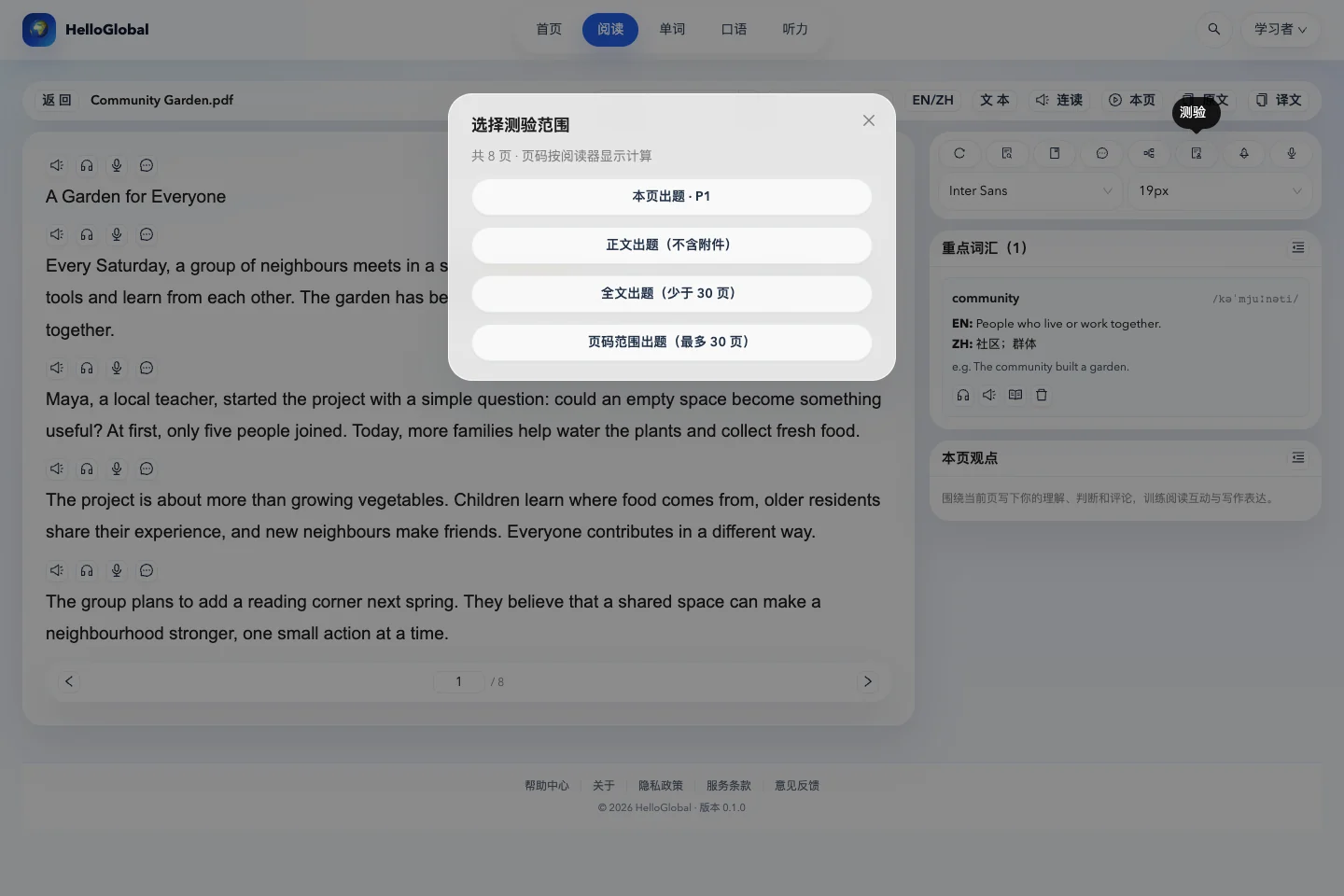
A single page works well for a short passage or a self-contained concept. When the causes and consequences in a case study span several pages, a page-only quiz can be too narrow. Before starting, check where the main text ends and the appendices begin.
| Quiz scope | When to use it | What to check |
|---|---|---|
| Current page | You have just read a relatively independent page | Focuses on the current page |
| Main body | A case includes supporting tables or appendices | Review the detected end of the main text |
| Whole document | You have a short, complete document | The document must have fewer than 30 pages |
| Page range | You want to check a chapter or a complete argument | Select no more than 30 pages, including both endpoints |
Use the page numbers shown in the reader; they may differ from the printed page numbers. For your first case-study quiz, choose the main body and check its boundary, or specify an explicit range. This makes the scope easier to verify.
Look for meaning and supporting evidence
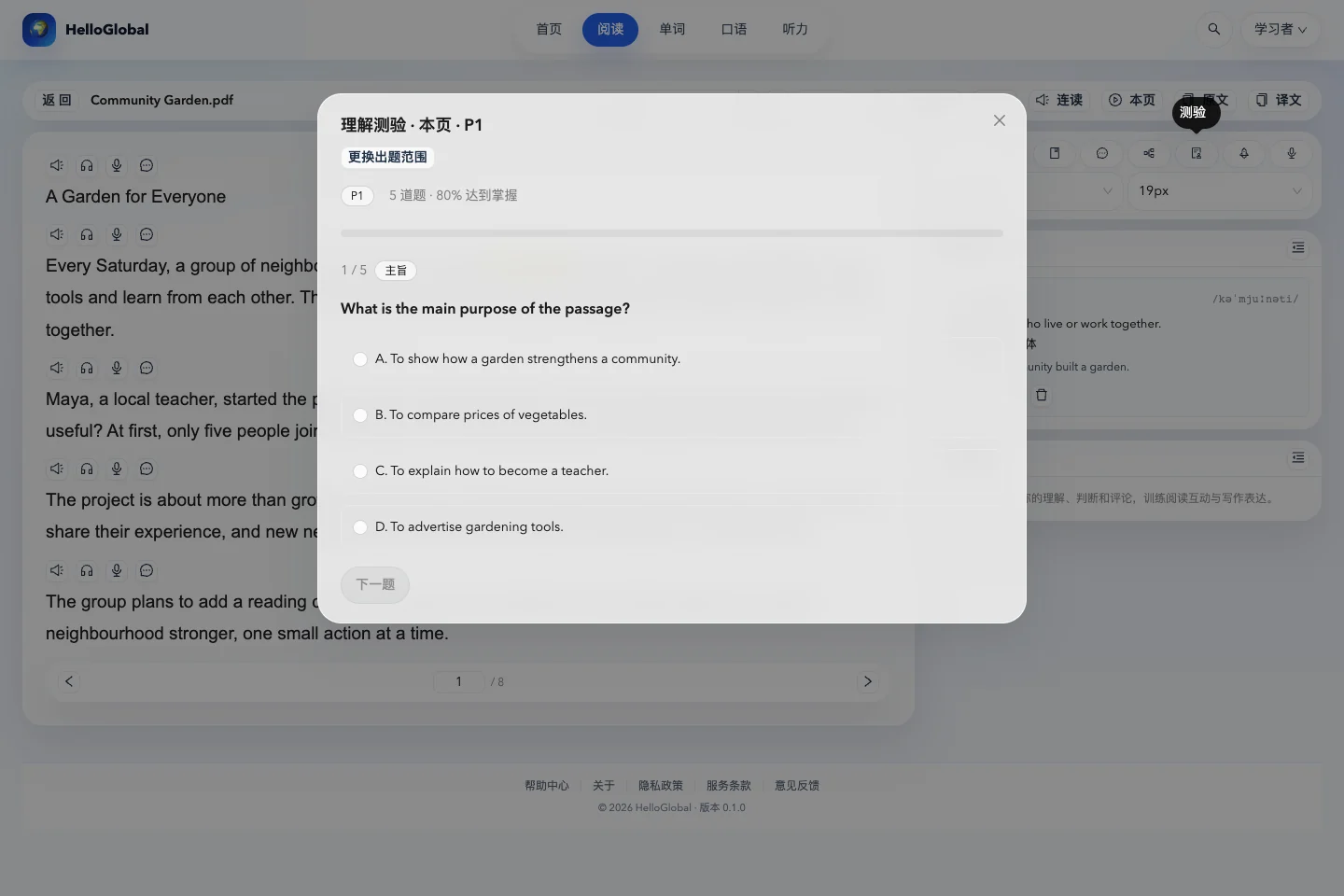
Open the document, select Quiz on the right, and choose a scope. A quiz contains five questions covering skills such as identifying the main idea, finding details and evidence, making inferences, evaluating arguments and recognising the author’s purpose.
Avoid choosing an option simply because it repeats words from the passage. In a text about a community garden, “more families joined” is a fact. “Shared activities brought neighbours closer together” is an interpretation that needs evidence. Ask yourself whether an option merely repeats a sentence or explains what the passage means.
Select an answer and move to the next question. You can go back to revise earlier choices before submitting the complete quiz.
Use the results to begin a second reading
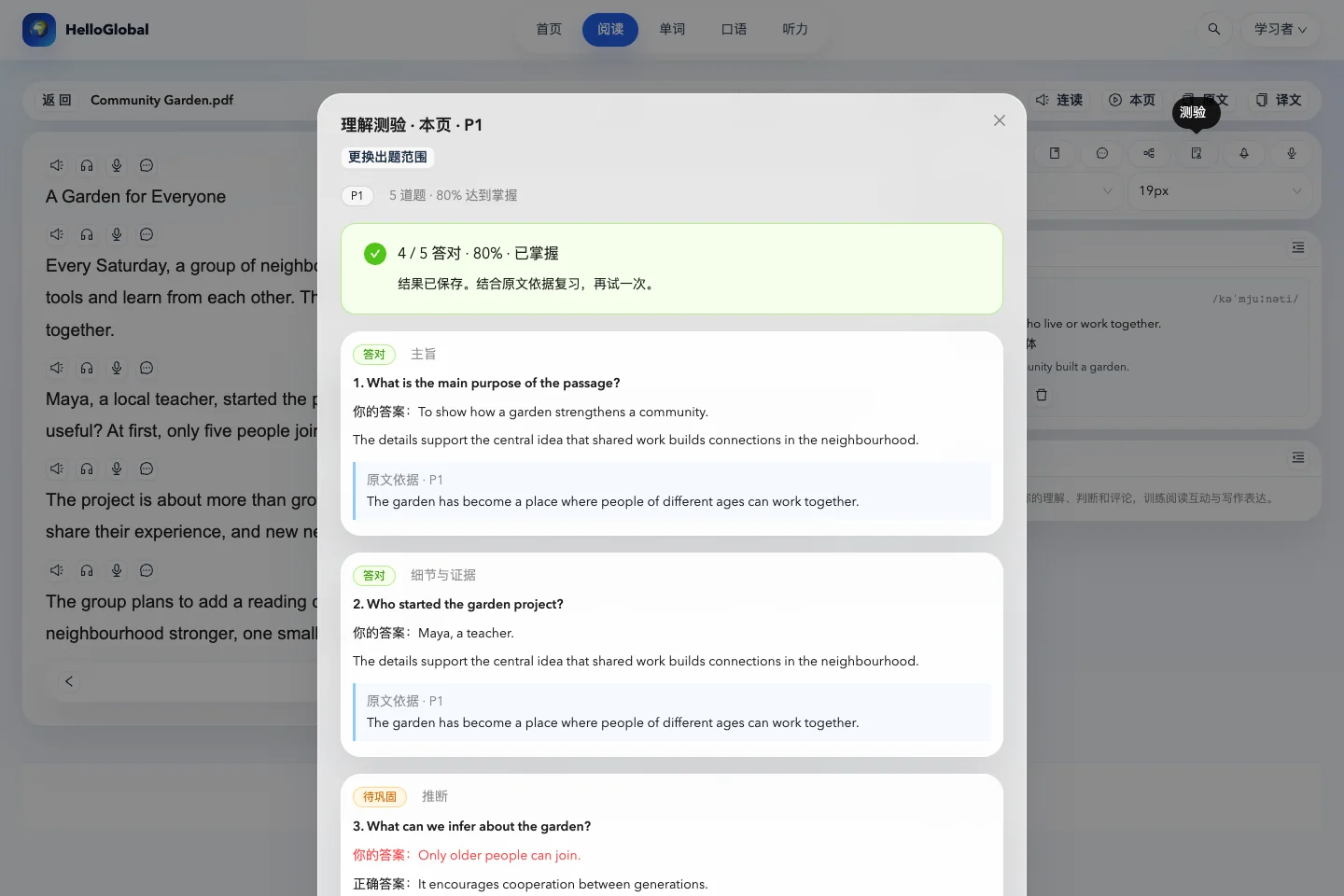
After submitting, review each answer, its explanation and the evidence from the source. The interface uses 80% as a mastery indicator for planning review. It is not an official examination grade.
For a detail error, revisit the sentence and check the people, timing or conditions. For an inference error, find the evidence connecting the facts to the conclusion. For a question about purpose, compare what the opening and closing paragraphs emphasise.
You can reopen saved results. Practise again reuses the existing questions. When you move to another chapter, use Change scope to check the new material.
Turn understanding into a conversation about the current page
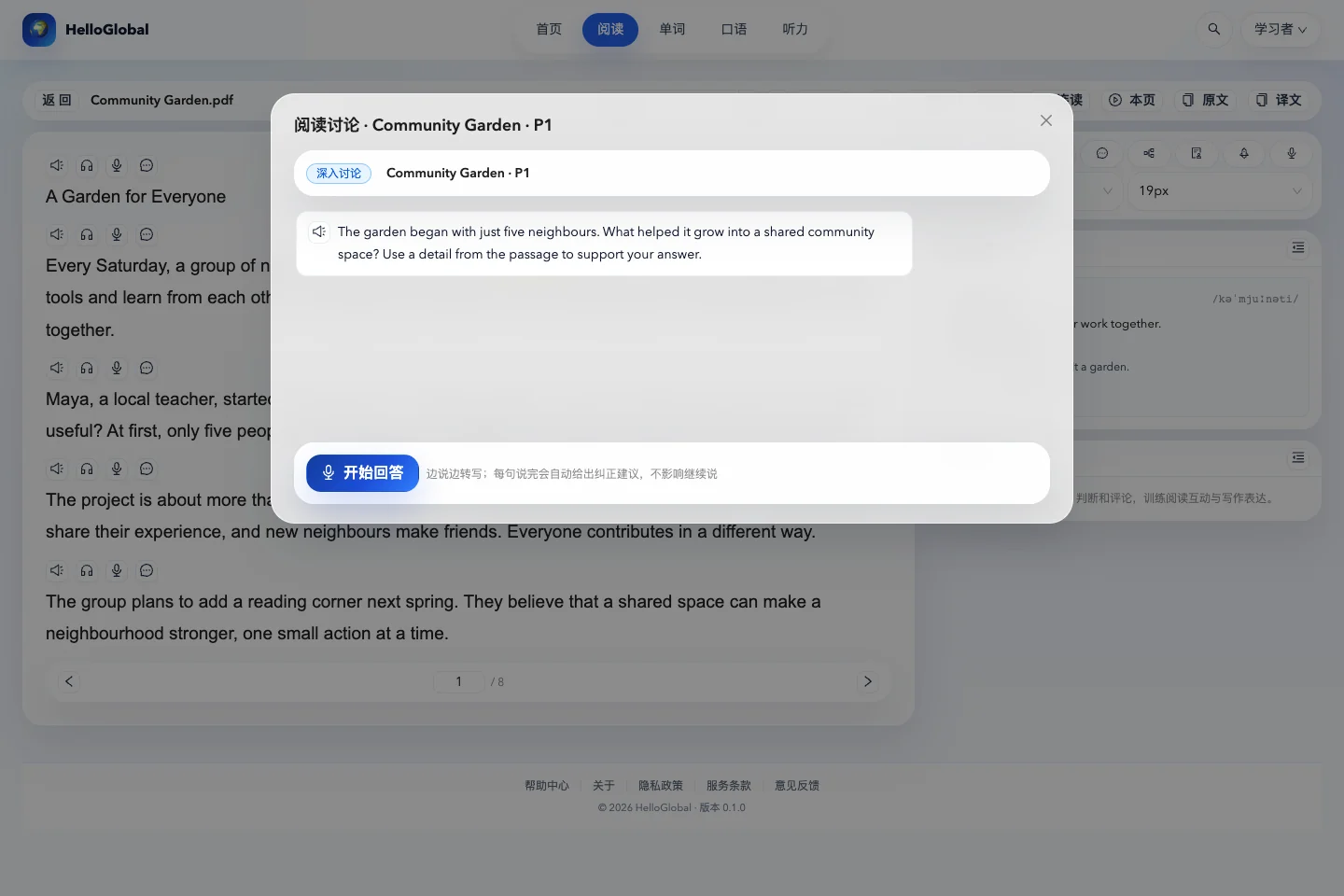
Return to the page you want to discuss and select Discussion beside the viewpoints tool. The AI uses the current page to ask questions. Select Start answering, give your view, and send your response to continue with follow-up questions.
Try this structure: my judgement → a detail from the text → why that detail supports my judgement. For example: The garden is more than a place to grow food. Older residents share their experience, so people also learn from each other.
Discussion uses the current page, independently of the scope chosen for a quiz. To discuss a different argument, first move to the page containing it. Check generated questions and explanations against the source, particularly numbers and specialist concepts.
Frequently asked questions
Can I use a scanned PDF?
First check whether it already contains selectable text. If it does not, use page text recognition and verify the result. If a scanned background and rendered text overlap in the translation view, you can turn off the background in that view.
Will my reading documents appear on this blog?
No. The blog uses public feature descriptions and demonstration material. Personal documents remain subject to account permissions, and global search only returns your own reading content.