People practising bilingual expression or checking the meaning of everyday conversation.
Choose the language pair before recording
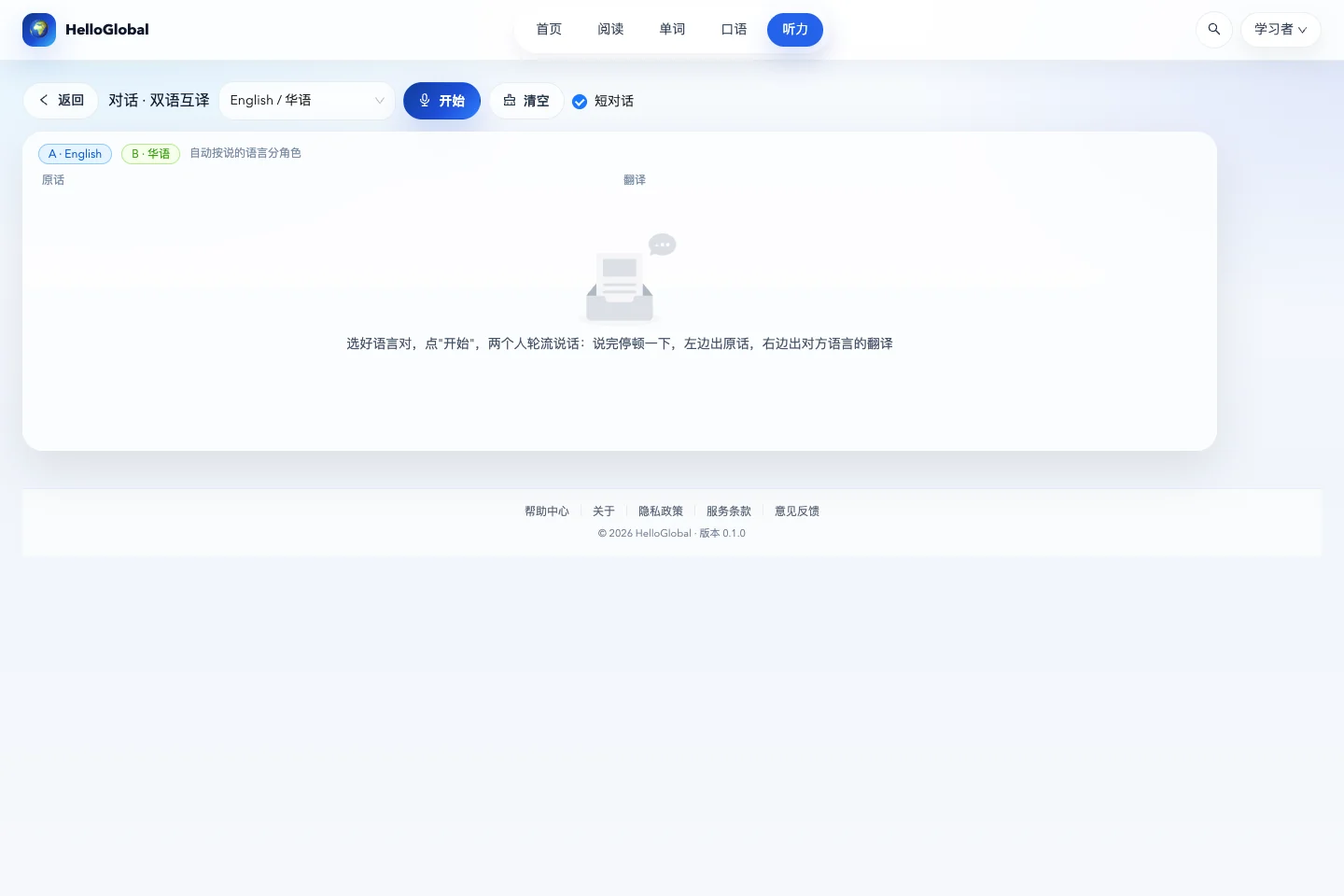
Open Dialogue from Listening and select one of the displayed language pairs, such as English–Chinese, English–Malay or English–Tamil. Allow microphone access and start recording. One person speaks, pauses for the transcription and translation, and then lets the other person respond. The interface places original speech and translated text in separate columns and assigns the role according to the detected language.
Several natural short turns are easier to check than overlapping speech or one uninterrupted explanation. If the transcription mishears an important word, repeat that sentence clearly before deciding whether the translation conveys the intended meaning.
Use larger text and playback to check meaning
Short dialogue is enabled by default, using larger text that is easier for two people to read together. Play a translated turn to hear how the target language expresses it, then compare the spoken version with the text. Stop the current recording before changing the language pair and start again after checking the new selection.
This is an immediate communication aid rather than a pronunciation score or a guaranteed record. Names, quantities, times and negation can change the meaning if misrecognized. Confirm important details directly with the other person, and stop recording when the conversation is finished instead of leaving the microphone active.
Frequently asked questions
Can both people speak at once?
Take turns to reduce recognition problems caused by overlapping voices.
Is this an AI conversation partner?
No. This view transcribes and translates a conversation between people. Use the Speaking module for an AI conversation partner.